Linux Commands for DevOps
Linux is the preferred operating system in DevOps environments due to its stability, security, and flexibility. DevOps engineers heavily rely on Linux commands to manage files, directories, processes, networking, packages, and automation tasks. These commands enable engineers to configure systems, monitor performance, deploy applications, and maintain continuous integration and delivery pipelines. A thorough understanding of these commands is essential for efficient system administration, troubleshooting, and automation, which are critical components of modern DevOps practices.
1. File and Directory Operations
Linux provides a wide range of commands for managing files and directories, which form the backbone of daily DevOps activities. The ls command is used to list files and directories in the current location, allowing engineers to quickly examine the contents of any folder. Options such as -l provide detailed information, including file permissions, ownership, group, size, and modification date, which helps in auditing files. The -a option lists hidden files that start with a dot (.), while -h makes file sizes human-readable. This command is frequently used to explore directories, verify deployments, or check configuration files.
The cd command is used to change the current working directory, enabling DevOps engineers to navigate the filesystem to access scripts, configuration files, or deployment directories. For instance, cd /var/www/html would move the user into the directory where web application files are stored. To confirm the current location before executing critical operations, the pwd command prints the full path of the current working directory, preventing accidental changes in the wrong location.
Creating and managing directories is another essential aspect of DevOps workflows. The mkdir command allows engineers to create new directories for organizing logs, configuration files, or temporary deployment folders. Conversely, rmdir removes empty directories, whereas rm -r is used for recursively deleting directories containing files or subdirectories. Commands like cp are used to copy files or directories from one location to another, supporting tasks such as backups, configuration replication, and deployment of updated files. The mv command is used to move or rename files and directories, which is useful for reorganizing directories or replacing old configuration files with new versions.
The rm command allows engineers to permanently remove files or directories, with rm -rf enabling recursive deletion of directories. Since this command can permanently erase critical data, it must be used with extreme caution, especially in production environments. The touch command is used to create empty files or update the modification timestamp of existing files, often employed in log rotation scripts or for creating placeholder files. To view the content of a file directly in the terminal, the cat command is used, frequently combined with pipelines to read configurations or log files.
For handling large files, the more and less commands allow engineers to paginate through file content, making it easier to read and analyze logs or configuration files. Unlike more, the less command enables both backward and forward scrolling, which is particularly helpful during in-depth log analysis. Additionally, head and tail commands allow users to view the first or last lines of a file, respectively. The tail -f command is especially important in DevOps workflows for real-time monitoring of log files, enabling engineers to track application behavior and quickly identify issues as they occur.
2. Processes and Services
In Linux, a process is an instance of a running program, while a service is a background process that typically runs continuously to perform specific tasks, such as web servers, databases, or system daemons. Managing processes and services is a core task for DevOps engineers, as it ensures smooth system operation, resource optimization, and reliability of deployed applications. Linux provides several commands to monitor, control, and manage both processes and services effectively.
The ps command is used to view currently running processes. It provides a snapshot of active processes along with details like the user running the process, Process ID (PID), CPU usage, and memory usage. Using ps aux displays all processes on the system, which helps DevOps engineers identify resource-intensive processes, debug performance issues, or find processes that may be causing conflicts.
For real-time monitoring of processes and system resources, the top command is widely used. It continuously updates and displays running processes, CPU load, memory usage, swap space, and other vital statistics. This allows engineers to monitor system performance, detect bottlenecks, and take timely action. An enhanced alternative is htop, which provides an interactive and user-friendly interface for process management. With htop, engineers can sort processes by CPU, memory, or runtime, search for specific processes, and even terminate them directly from the interface.
Terminating processes is an essential administrative task, particularly when processes become unresponsive or consume excessive resources. The kill command allows administrators to terminate a specific process using its PID, with options like kill -9 to force termination. In situations where multiple instances of the same process are running, killall can be used to terminate all processes by their name, simplifying management of services or background applications.
Linux services are typically managed through systemd, the modern init system. The systemctl command provides comprehensive control over services, allowing engineers to start, stop, restart, enable, or disable services. For example, systemctl restart nginx restarts the Nginx web server, applying any updated configurations or recovering from failures. Legacy systems may use the service command to manage init scripts, performing similar operations like checking the status of apache2 or starting/stopping a service.
Monitoring overall system health is equally important for DevOps practices. The uptime command displays the system’s running time, the number of logged-in users, and the load average over the last 1, 5, and 15 minutes, helping engineers understand system load trends and plan capacity. The free command provides detailed memory usage statistics, showing total, used, and free memory, including swap usage. By analyzing these statistics, DevOps engineers can monitor system health during deployments, optimize performance, and prevent potential failures due to resource exhaustion.
In summary, process and service management in Linux is a fundamental part of DevOps operations. Commands like ps, top, htop, kill, killall, systemctl, service, uptime, and free allow engineers to monitor resources, control processes, manage services, and maintain system stability, ensuring applications run smoothly and efficiently in production environments.
3. Networking Commands
Networking is a critical component of DevOps, as applications often interact with multiple servers, APIs, and external services. Linux provides a range of commands to monitor, troubleshoot, and manage network connections, ensuring smooth communication between systems and reliable deployment pipelines.
The ping command is used to test connectivity between the local system and a remote host. By sending ICMP echo requests to a target, ping helps determine whether a host is reachable and measures round-trip time. For example, ping google.com checks if the Google server is accessible and provides latency statistics, which is essential for diagnosing connectivity issues.
To inspect network interfaces and configurations, commands like ifconfig and ip addr are used. They display information about IP addresses, netmask, MAC addresses, and network interface status. While ifconfig has been traditionally used, ip addr is preferred in modern Linux distributions. These commands help DevOps engineers verify IP configurations, check interface availability, and troubleshoot network misconfigurations.
Monitoring active network connections, listening ports, and routing information is done using netstat or the more modern ss command. These tools show open connections, socket statistics, routing tables, and port usage, making them crucial for debugging network issues, verifying service availability, and ensuring that no unexpected connections compromise system security.
Commands like curl and wget are used to interact with remote servers and APIs. curl transfers data using multiple protocols such as HTTP, HTTPS, and FTP, and is widely used for API health checks, testing endpoints, or fetching resources. For example, curl http://localhost:8080/health checks whether a local service is running and responding correctly. Similarly, wget is used to download files from the internet or internal servers, often used to fetch deployment packages, updates, or scripts.
For secure file transfer between systems, scp and rsync are commonly used. scp securely copies files from one host to another using SSH, while rsync is preferred for synchronizing directories efficiently with minimal bandwidth usage. For example, scp app.tar.gz user@remote:/opt/ copies an application archive to a remote server, facilitating deployments.
Connectivity to specific hosts and ports can be tested using telnet or nc (netcat). These commands are useful for debugging firewall rules, testing services, and network routing. For example, checking whether a database port is open or whether a remote API is accessible before deployment.
Lastly, traceroute is used to display the path network packets take to reach a destination host. This command helps troubleshoot network latency, routing issues, and packet loss, which is critical when applications communicate across multiple servers or cloud environments.
In summary, networking commands in Linux enable DevOps engineers to monitor connectivity, verify interfaces, transfer files securely, check services, and troubleshoot network issues. Mastery of these commands is essential for maintaining reliable, scalable, and high-performance systems in a DevOps environment.
4. Package Management
Package management is a vital aspect of Linux system administration, particularly in DevOps, as it allows engineers to install, update, and manage software efficiently across servers and environments. Package managers automate the process of handling dependencies, ensuring that required software and libraries are correctly installed, updated, or removed without manual intervention. This is essential for maintaining consistent environments, deploying applications, and automating scripts in development pipelines.
For Debian-based distributions such as Ubuntu, the apt command is commonly used. It is an advanced package tool that simplifies software installation, updates, and removal. For example, apt install nginx installs the Nginx web server along with all required dependencies. apt update refreshes the package repository metadata, and apt upgrade updates all installed packages to their latest versions. These commands ensure that servers run the most secure and stable software versions, which is critical for DevOps practices.
RedHat-based distributions, such as CentOS and Fedora, use package managers like yum and dnf. These tools allow engineers to manage packages efficiently in enterprise environments. For example, yum update upgrades installed packages, while dnf install docker installs Docker for containerized deployments. These package managers automatically resolve dependencies and verify package integrity, which is crucial for maintaining production-grade systems.
At a lower level, Debian-based systems also provide the dpkg command, which is used to install, remove, or query individual .deb packages. For instance, dpkg -i package.deb installs a specific Debian package, which is useful when installing software offline or from downloaded package files. Similarly, RedHat-based systems use the rpm command to manage .rpm packages. Commands like rpm -ivh package.rpm install packages with verbose output and hash progress, providing detailed feedback on installation.
Modern Linux systems also support snap packages, which are cross-platform, self-contained packages that include all necessary dependencies. The snap command allows engineers to install, update, and remove these packages easily. For example, snap install microk8s installs the lightweight Kubernetes distribution for local development or testing, simplifying environment setup for DevOps workflows.
In addition to system-level packages, DevOps engineers frequently work with programming language-specific package managers. For Python, pip is the standard package manager, used to install libraries, automation scripts, or cloud SDKs. For example, pip install boto3 installs the AWS SDK for Python, enabling DevOps engineers to automate cloud infrastructure tasks programmatically.
In summary, package management in Linux is a cornerstone of DevOps, enabling engineers to maintain software consistency, automate deployments, manage dependencies, and ensure secure, stable, and reproducible environments across multiple systems and servers.
Linux is the backbone of most DevOps environments. Knowing the right commands is essential for automation, deployment, server management, and troubleshooting.
Linux forms the backbone of most DevOps environments. Mastery of Linux commands is essential for automation, deployment, monitoring, server management, and troubleshooting in CI/CD pipelines, containerized environments, and cloud infrastructures.
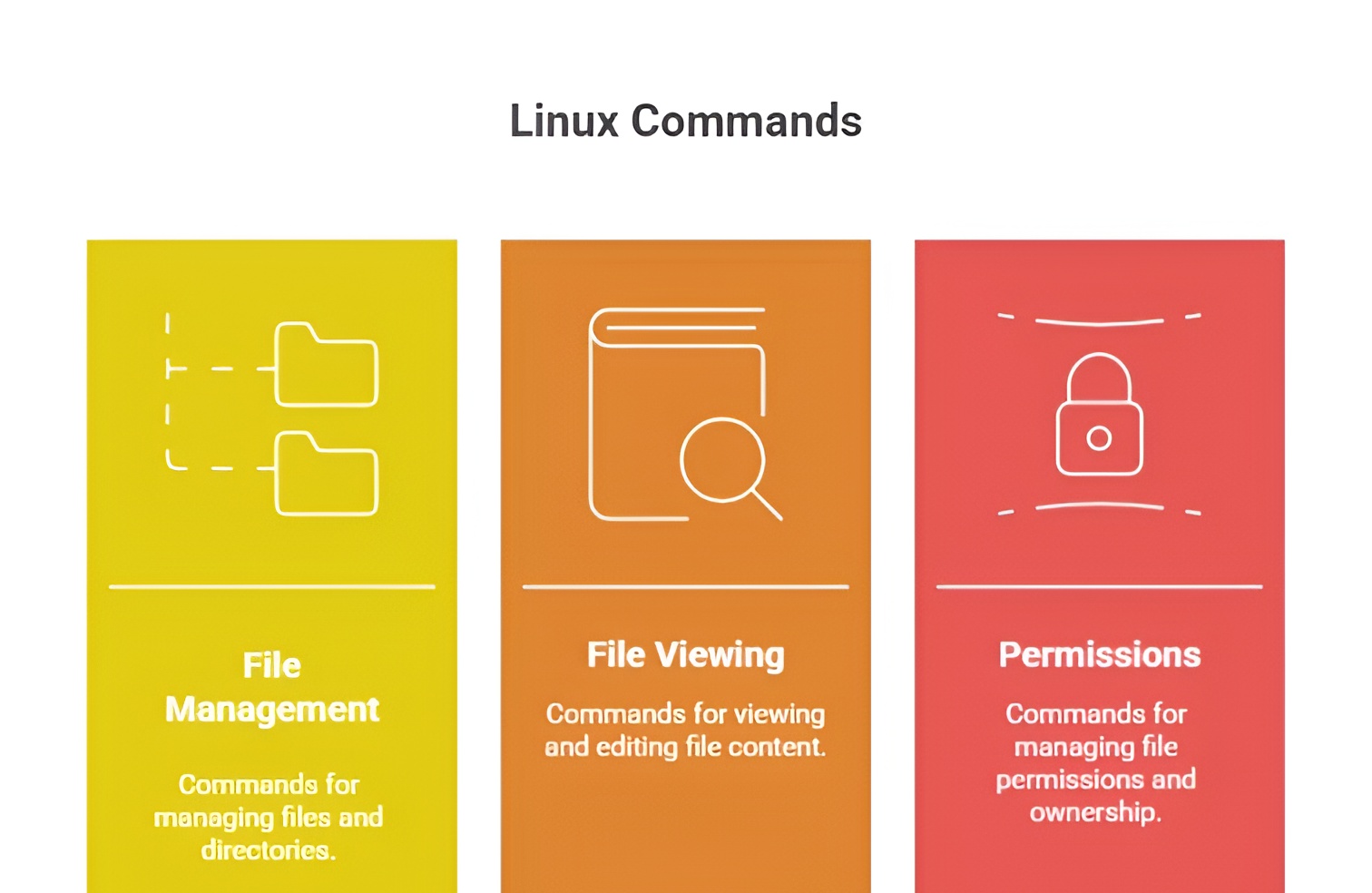
1) File & Directory Management
lslists files and directories (ls -lfor detailed info,ls -afor hidden files),cdchanges the directory,pwdprints the current working directory,mkdircreates directories,rmremoves files or directories (rm -rfor recursive deletion),cpcopies files or directories, andmvmoves or renames files.
2) File Viewing & Editing
catdisplays file content,lessormoreallows scrolling through long files,headandtailshow the beginning or end of files (tail -fmonitors logs in real-time), while editors likenano,vim, orviallow direct file editing in the terminal.
3) Process & System Management
pslists running processes (ps auxfor detailed view),toporhtopprovides real-time system monitoring,killorkillallterminate processes,dfchecks disk usage,dushows directory size, andfreedisplays memory usage.
4) Permissions & Ownership
chmodchanges file permissions (chmod 755 file),chownchanges ownership (chown user:group file), andsudoexecutes commands with superuser privileges.
5) Networking Commands
pingchecks connectivity,ifconfigorip addrdisplays network interfaces and IP addresses,netstatorssshows active connections, andcurlorwgetdownloads files or tests endpoints.
6) Package Management
Debian/Ubuntu:apt-get install package,apt update,apt upgrade. RedHat/CentOS:yum install package,yum update. These commands are used to install DevOps tools like Docker, Git, Jenkins, Ansible, and Terraform.
7) Searching & Monitoring
grepsearches inside files (grep "error" logfile),findlocates files (find /path -name filename),tail -f /var/log/syslogmonitors logs, andjournalctlviews systemd logs.
8) Compression & Archiving
tararchives files (tar -cvf archive.tar folder/) and extracts them (tar -xvf archive.tar).gzipandgunzipcompress and decompress files.
9) Scripting & Automation
bash script.shruns shell scripts,chmod +x script.shmakes scripts executable, and combining commands with|,&&, or>allows automation and chaining operations.
10) Disk Management
mountandumountmount or unmount storage devices,lsblklists block devices,blkidshows filesystem info, anddf -hprovides human-readable disk usage.
11) User Management
adduseroruseraddcreates new users,passwdsets or changes passwords,deluseroruserdeldeletes users, andusermodmodifies user details.
12) Environment Management
envorprintenvdisplays environment variables,export VAR=valuesets environment variables, andunset VARremoves them.
13) Job Scheduling
cronorcrontab -eschedules automated tasks,atruns commands at a specific time, andsystemctlcan schedule and manage system services.
14) Package & Dependency Checks
dpkg -llists installed packages (Debian/Ubuntu),rpm -qalists installed packages (RedHat/CentOS),whichfinds command location, andwhereislocates binaries, sources, and manuals.
15) System Updates & Upgrades
apt-get update && apt-get upgrade(Debian/Ubuntu),yum update(RedHat/CentOS), ensuring servers and DevOps tools are up to date.
16) Log Management
tail -f /var/log/messagesor/var/log/syslogmonitors logs,dmesgdisplays kernel messages, andlogger "message"adds custom messages to system logs.
17) Process Priorities & Scheduling
niceruns a process with a specific priority,renicechanges priority of running processes,uptimeshows load averages, andvmstatdisplays virtual memory and CPU stats.
18) Disk Quotas & Filesystem Checks
quotachecks disk usage per user,df -ichecks inode usage,fsckchecks filesystem integrity, andtune2fsmodifies ext2/ext3/ext4 filesystem parameters.
19) Networking Diagnostics
traceroutetraces packet routes,digqueries DNS records,nslookupchecks domain info,tcpdumpcaptures network packets, andiptablesmanages firewall rules.
20) System Backup & Restore
rsyncsynchronizes files/folders across systems,scpcopies files securely over SSH,ddcreates disk-level backups, andcp -apreserves attributes during copying.
21) Monitoring & Alerts
watch commandruns commands periodically,uptimeshows system load,sarcollects system activity metrics, andping -c 5 hosttests network health repeatedly.
22) File Content Manipulation
awkandsedprocess text files,cutextracts columns from files,sortorders data,uniqfilters duplicates, andwccounts lines, words, and characters.
23) SSH & Remote Management
ssh user@hostconnects to remote servers,scpcopies files remotely,rsyncsyncs directories, andssh-keygengenerates keys for secure authentication.
24) Container & Cloud Commands
Linux commands likedocker ps,docker logs,kubectl get pods, andhelm listare run from Linux CLI to manage containers and Kubernetes clusters.
25) File Permissions & Security Audits
stat fileshows file metadata,lsattrlists file attributes,chmod/chownmanages access, andgetfacl/setfaclmanages ACLs.

Class Sessions
Sales Campaign

We have a sales campaign on our promoted courses and products. You can purchase 1 products at a discounted price up to 15% discount.