The AWS Management Console is a web-based graphical interface that centralizes access to all AWS services, enabling users to manage cloud resources easily and efficiently.
Whether you're a beginner or an experienced cloud practitioner, the console serves as the primary gateway to navigate, configure, and monitor AWS services and solutions.
Its intuitive design, combined with powerful search and customization features, empowers users to interact seamlessly with the expansive AWS ecosystem.
Console Home: Your Starting Point
Upon logging in, users encounter the Console Home dashboard, designed to give an immediate overview and quick access to frequently used services and resources.
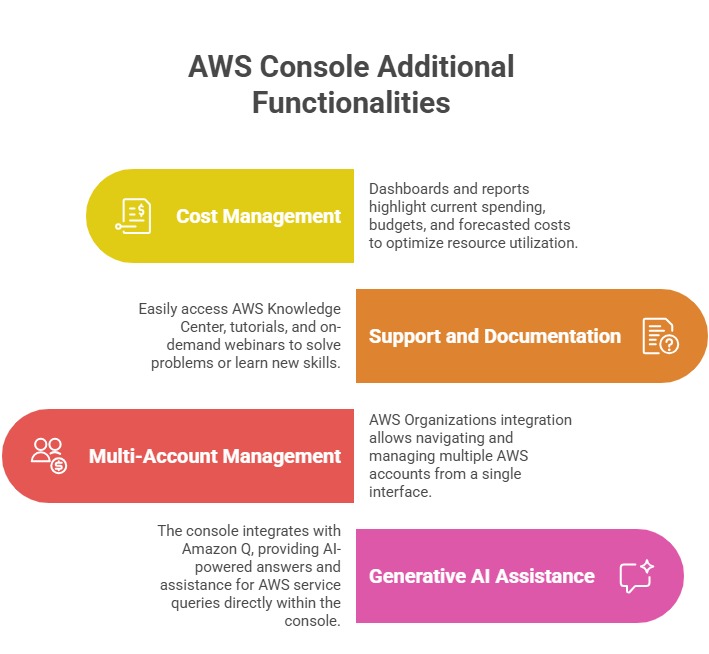
Console Home is customizable with widgets such as “Recently Visited,” “AWS Health,” cost monitoring, and more. These widgets help users personalize their workspace for enhanced productivity and situational awareness.
Navigation Bar: Unified Access
At the top of the console lies the navigation bar, a powerful tool providing:
1. Unified Search: Quickly locate AWS services, features, resources, documentation, tutorials, and marketplace products without leaving the console. Keyboard shortcuts and autocomplete facilitate rapid navigation.
2. Services Menu: Access a comprehensive list of all AWS services, categorized by type, such as Compute, Storage, or Database. Users can mark favorite services for immediate accessibility.
3. Region Selector: Choose the AWS Region where resources will be deployed or managed, essential for compliance, latency optimization, and redundancy.
4. Account Information: Manage AWS account settings, billing details, service quotas, and security credentials from one place.
5. AWS CloudShell Access: Run AWS CLI commands directly from the browser using a pre-authenticated shell environment, streamlining command-line operations without local setup.
6. Notifications: View AWS service health, updates, and relevant alerts, ensuring timely awareness of incidents or maintenance.
Service Consoles: Dedicated Interfaces
Each AWS service has an individual console accessible from the main console. These specialized interfaces provide tailored tools and metrics relevant to the particular service, such as launching EC2 instances, configuring S3 buckets, or managing IAM policies.
A left-hand navigation pane within service consoles provides access to service features, dashboards, logs, and settings.
Customization and User Experience
Users can personalize their experience by:
1. Adding or rearranging dashboard widgets on Console Home
2. Creating a Favorites list for quick service access
3. Changing default language and visual themes
4. Configuring default AWS Region and preferences

Class Sessions
Sales Campaign

We have a sales campaign on our promoted courses and products. You can purchase 1 products at a discounted price up to 15% discount.