The Linux kernel incorporates several critical security features that form the backbone of its robust security architecture. These features go beyond traditional user and file permission models to provide fine-grained control over system resources and process isolation.
Key kernel-level security mechanisms include namespaces, capabilities, and Mandatory Access Control (MAC) systems such as SELinux and AppArmor. Together, they enhance system security by isolating processes, restricting privileges, and applying strict policies on what processes can do — essential for securing modern Linux environments.
Namespaces: Process and Resource Isolation
Namespaces are a kernel feature that isolates and virtualizes system resources for processes, creating separate views of global resources. This allows containers and other isolated environments to run securely without interfering with each other or the host system.
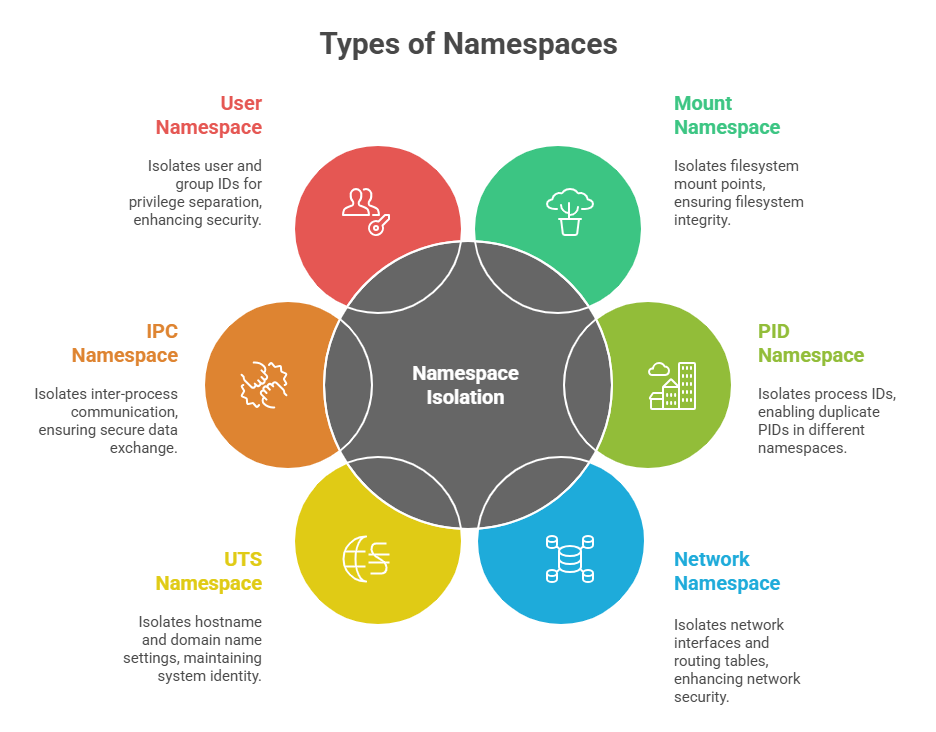
Namespaces provide effective process sandboxing, enhancing security by compartmentalizing processes within their own environments.
Capabilities: Fine-Grained Privilege Control
Traditionally, Linux assigns all powerful system privileges exclusively to the root user (UID 0). Capabilities break down root privileges into distinct units, allowing processes to have only necessary privileges rather than full root access.
Examples of capabilities include:
CAP_NET_ADMIN: Network administration tasks
CAP_SYS_ADMIN: System administration tasks (a wide-ranging capability)
CAP_DAC_OVERRIDE: Overrides file read/write/execute permission checks
By assigning capabilities to processes or executables, Linux minimizes the risk of abuse if a process is compromised, enforcing the principle of least privilege.
SELinux (Security-Enhanced Linux): A Comprehensive MAC System
SELinux is a kernel security module developed by the NSA that enforces mandatory access control policies independently of standard Unix file permissions.
1. Uses labels (or contexts) on files, processes, and other objects.
2. Enforces rules that restrict interactions between subjects (processes) and objects (files, sockets, ports) based on policy.
3. Supports multiple modes: Enforcing (policy enforced), Permissive (logs violations), and Disabled.
4. SELinux is highly customizable and used extensively in enterprise Linux distributions such as RHEL and CentOS.
5. Typical use cases include confining daemons, protecting system files, and limiting damage from exploited applications.
AppArmor: Profile-Based Mandatory Access Control
AppArmor is another MAC system that focuses on ease of use and simplicity through profile-based security rules.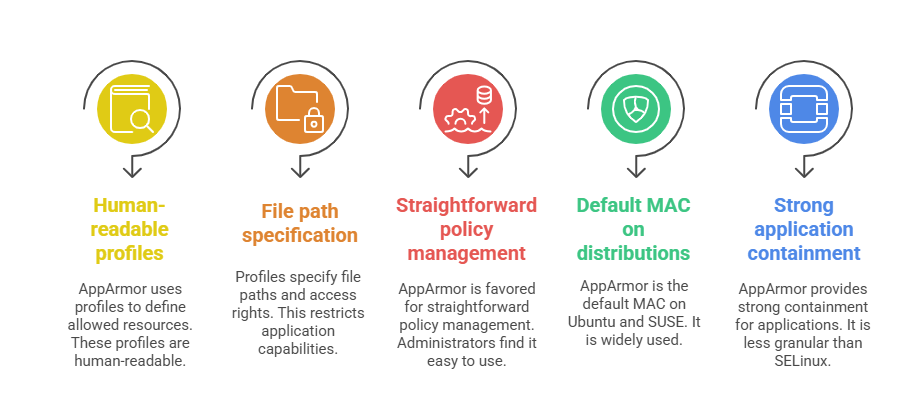

Class Sessions
Sales Campaign

We have a sales campaign on our promoted courses and products. You can purchase 1 products at a discounted price up to 15% discount.