Transport Layer Security (TLS) and its predecessor, Secure Sockets Layer (SSL), are cryptographic protocols designed to secure communication over networks by encrypting data and authenticating endpoints.
In Linux environments, TLS/SSL plays a crucial role in protecting sensitive data exchanged by services such as web servers, mail servers, and other network applications. Proper TLS/SSL configuration strengthens security, ensures compliance, and builds trust.
Understanding TLS/SSL
SSL was the original protocol designed to provide secure, encrypted connections, but it is now considered outdated due to known vulnerabilities.
TLS is the modern and more secure successor, offering stronger encryption algorithms and enhanced security features. By encrypting data exchanged between clients and servers, TLS protects against eavesdropping, data tampering, and impersonation attacks.
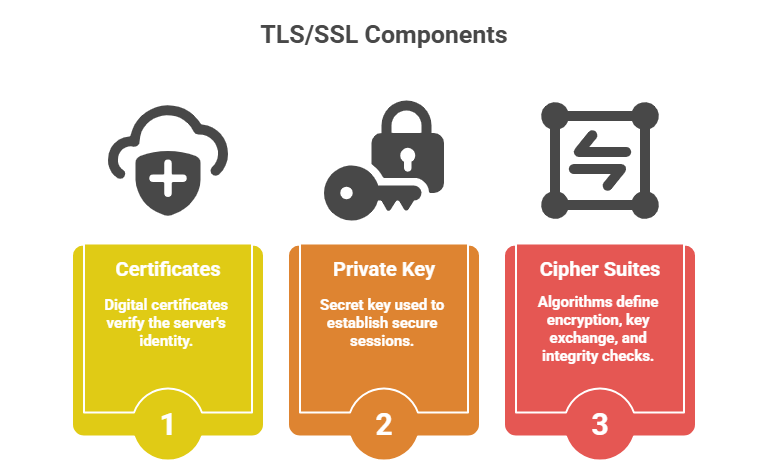
Configuring TLS/SSL on Linux Services
Proper TLS/SSL configuration is essential for protecting data in transit. The following steps describe how to deploy certificates, configure services, and strengthen cryptographic settings.
Step 1: Obtain TLS Certificates
1. Use public Certificate Authorities such as Let’s Encrypt for free, trusted certificates.
2. Alternatively, generate self-signed certificates for internal use or testing with openssl:
openssl req -newkey rsa:2048 -nodes -keyout server.key -x509 -days 365 -out server.crtStep 2: Configure TLS in Popular Linux Services
Web Servers (Apache, NGINX)
1. Enable mod_ssl for Apache or configure ssl block in NGINX.
2. Specify locations of certificate and private key files:
Apache example:
SSLCertificateFile /etc/ssl/certs/server.crt

SSLCertificateKeyFile /etc/ssl/private/server.key
NGINX example:
ssl_certificate /etc/ssl/certs/server.crt;

ssl_certificate_key /etc/ssl/private/server.key;
3. Configure TLS protocols and strong cipher suites only (disable SSLv2/3 and TLS 1.0).
4. Enable HTTP Strict Transport Security (HSTS) to enforce secure connections.
Mail Servers (Postfix, Dovecot)
1. Specify TLS certificate paths in configs (main.cf, dovecot.conf).
2. Enforce TLS for SMTP and IMAP/POP3 sessions.
3. Utilize opportunistic or mandatory TLS depending on environment security requirements.
Step 3: Harden TLS Configuration
1. Disable weak protocols and ciphers to prevent downgrade attacks.
2. Use strong, tested cipher suites like ECDHE-ECDSA-AES256-GCM-SHA384.
3. Enable Perfect Forward Secrecy (PFS) to ensure session keys can’t be retroactively compromised.
4. Regularly update OpenSSL libraries and patch vulnerabilities.
Step 4: Testing and Verification
1. Use tools such as openssl s_client or online services (SSL Labs) to test configurations.
2. Monitor certificates for expiry and revoke compromised keys immediately.
3. Review logs for TLS errors or handshake failures.

Class Sessions
Sales Campaign

We have a sales campaign on our promoted courses and products. You can purchase 1 products at a discounted price up to 15% discount.