Effective logging is fundamental for monitoring, troubleshooting, and securing Linux systems. Linux offers several logging mechanisms, with syslog (and its variants), journald, and centralized logging solutions providing tiered approaches to capturing and managing system and application logs.
Syslog: Traditional Linux Logging
Syslog is the original Unix/Linux logging protocol standard. It collects log messages from the kernel, applications, and services, storing them in log files like /var/log/messages, /var/log/syslog. Variants include rsyslog, syslog-ng, and nxlog, which provide enhanced features like filtering, forwarding, and log rotation.
Syslog Functionality
1. Logs are categorized by severity levels (e.g., DEBUG, INFO, ERROR).
2. Facilities represent different sources, such as authentication, mail, or kernel.
3. Configuration files (/etc/rsyslog.conf or /etc/syslog-ng/syslog-ng.conf) control log routing and storage.
Common Uses: Local log storage and rotation to manage disk space and retain historical records, forwarding logs to remote syslog servers for centralized monitoring and analysis, and filtering or formatting log messages to meet audit, security, and compliance requirements.
journald: Systemd’s Modern Logging
Journald is a binary logging system integral to Systemd-based Linux distributions. It captures system, kernel, and application logs in a structured, indexed journal. It provides richer metadata, timestamps, and binary log storage for efficient querying.
Features of journald
1. Supports dynamic filtering by fields (e.g., process ID, user ID).
2. Logs can be persistent or stored in volatile memory.
3. Interoperates seamlessly with syslog via forwarding.
Basic journald Commands
1. View logs: journalctl
2. Follow live logs: journalctl -f
3. View logs by service: journalctl -u sshd.service
4. Configure settings in /etc/systemd/journald.conf, including storage mode and max log size.
Centralized Logging Solutions
Centralized logging solutions improve visibility, incident detection, and system monitoring. The key technologies and architectural elements supporting centralized logging are described below.
Rationale for Centralized Logging
Centralized logging aggregates logs from multiple hosts and services into a single location, enabling unified analysis and better visibility across systems. This approach enhances incident detection by allowing events to be correlated across different sources more effectively.
It also simplifies compliance reporting and log retention management by providing consistent access to logs and standardized storage practices.
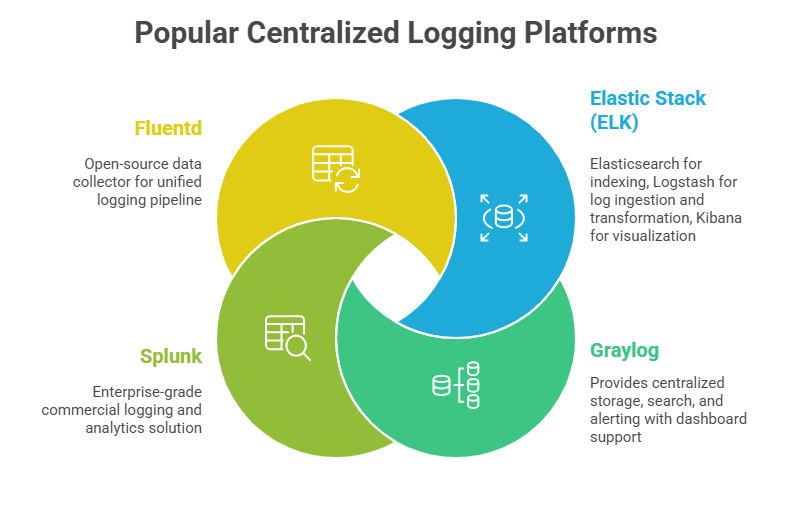
Centralized Logging Architecture
A centralized logging architecture uses lightweight agents, such as Filebeat or Fluentd, to collect logs locally from systems and applications. These logs are securely shipped to central logging servers, where they are stored and indexed to enable fast and efficient searching.
Dashboards and alerting mechanisms are then used to visualize log data and generate actionable insights for monitoring, troubleshooting, and security analysis.
Best Practices for Logging and Monitoring
1. Ensure logs include timestamps, source identifiers, and severity levels.
2. Use log rotation and archival to manage storage efficiently.
3. Secure log transport with TLS encrypted channels.
4. Implement role-based access to log servers and dashboards.
5. Regularly review and tune logging policies to balance verbosity and noise.
6. Correlate logs with IDS/IPS and endpoint data for comprehensive security visibility.

Class Sessions
Sales Campaign

We have a sales campaign on our promoted courses and products. You can purchase 1 products at a discounted price up to 15% discount.