Cryptography plays a vital role in securing data and communications in Linux environments. Among the diverse cryptographic tools available, GPG (GNU Privacy Guard) provides powerful encryption and signing capabilities, while hashing utilities ensure data integrity and verification. Effective key management practices underpin the security of cryptographic operations.
GPG Encryption
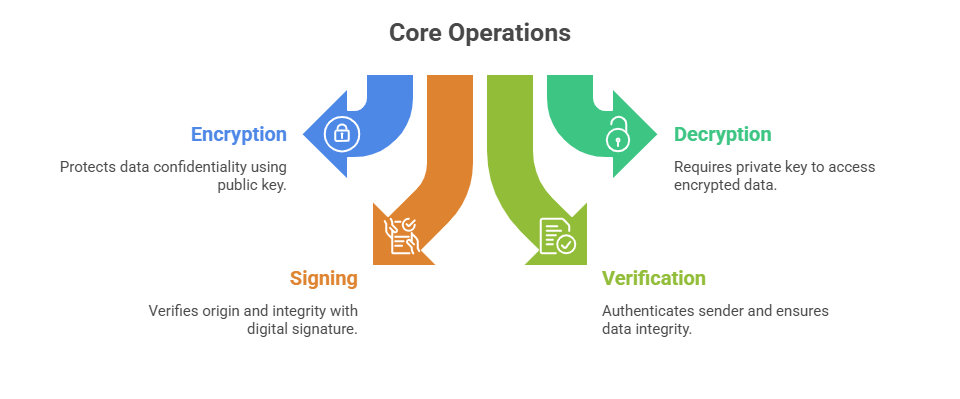
GPG is a free, open-source implementation of the OpenPGP standard. It enables users to encrypt files and communications, create digital signatures, and verify authenticity. GPG uses a public-private key mechanism, where the public key encrypts data and the private key decrypts it.
 Basic GPG Commands
1. Generate a new key pair:
gpg --full-generate-key2. Export public key:
gpg --armor --export user@example.com > public.key3. Encrypt file:
gpg --encrypt --recipient user@example.com file.txt4. Decrypt file:
gpg --decrypt file.txt.gpg5. Sign a file:
gpg --sign file.txt6. signature:
gpg --verify file.txt.sigHashing Utilities
Hashing serves the purpose of transforming arbitrary input data into a fixed-length output known as a hash or digest. This process ensures that even small changes in the original data result in a completely different hash value, making it effective for verifying data integrity and detecting tampering.
Hash functions are widely used to confirm that data has not been altered during storage or transmission, and they also play a critical role in cryptographic applications such as digital signatures, where hashes help ensure authenticity and trustworthiness of information.
Common Hashing Algorithms and Tools
1. MD5 (Message Digest 5): Widely used historically but vulnerable; avoid for critical security.
2. SHA-family (SHA-1, SHA-256, SHA-512): Secure and current standards, with SHA-256 and above recommended.
3. Utilities:
md5sum for MD5 hashes (deprecated for security-sensitive use)
sha256sum, sha512sum for SHA hashes
Example Commands
1. Generate SHA-256 hash of a file:
sha256sum file.txt2. Validate a file via checksum:
sha256sum -c checksum.sha256Key Management Best Practices
The following best practices cover the complete lifecycle of cryptographic keys. They emphasize secure generation, controlled distribution, timely revocation, and reliable recovery.
1. Key Generation and Storage: Keys should be generated using strong algorithms and key sizes, such as RSA 4096-bit or elliptic curve cryptography, and private keys must be protected with strong passphrases and stored securely, preferably offline or in hardware security modules.
2. Key Distribution: Public keys should be shared through secure channels or trusted key servers and verified using multiple methods to prevent man-in-the-middle attacks.
3. Key Revocation and Expiry: Revocation certificates should be created and published if keys are compromised, and keys should have defined expiration dates with regular rotation.
4. Backup and Recovery: Private keys and revocation certificates must be securely backed up, and recovery procedures should be tested to ensure keys can be restored safely.

Class Sessions
Sales Campaign

We have a sales campaign on our promoted courses and products. You can purchase 1 products at a discounted price up to 15% discount.