Pluggable Authentication Modules (PAM) is a flexible, modular framework used in Linux systems to manage authentication tasks consistently across various services. PAM enables system administrators to configure authentication policies centrally and independently from the applications requiring authentication, enhancing security and ease of management.
What is PAM?
PAM provides a dynamic mechanism to integrate multiple low-level authentication schemes into a high-level API. It separates authentication logic from applications, allowing centralized control over login policies, password management, and session setup. PAM modules can be stacked to combine various authentication methods like passwords, biometrics, tokens, and smart cards.
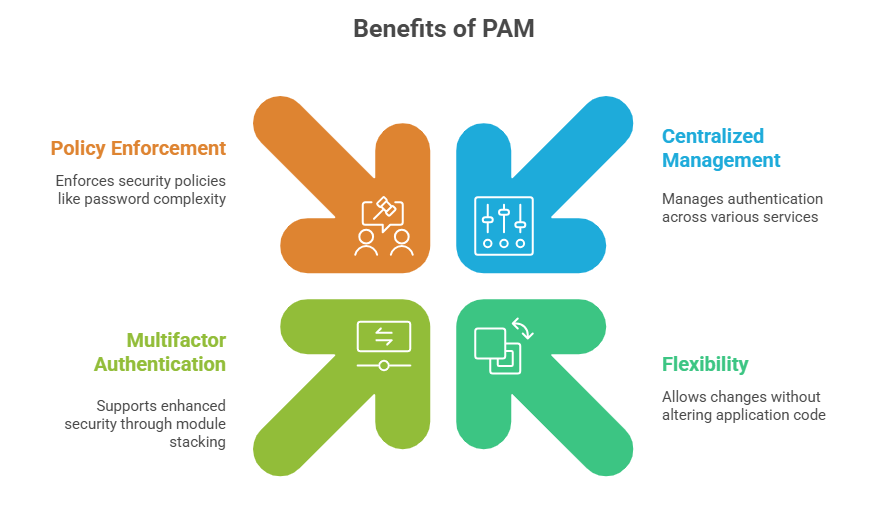
PAM Architecture and Configuration
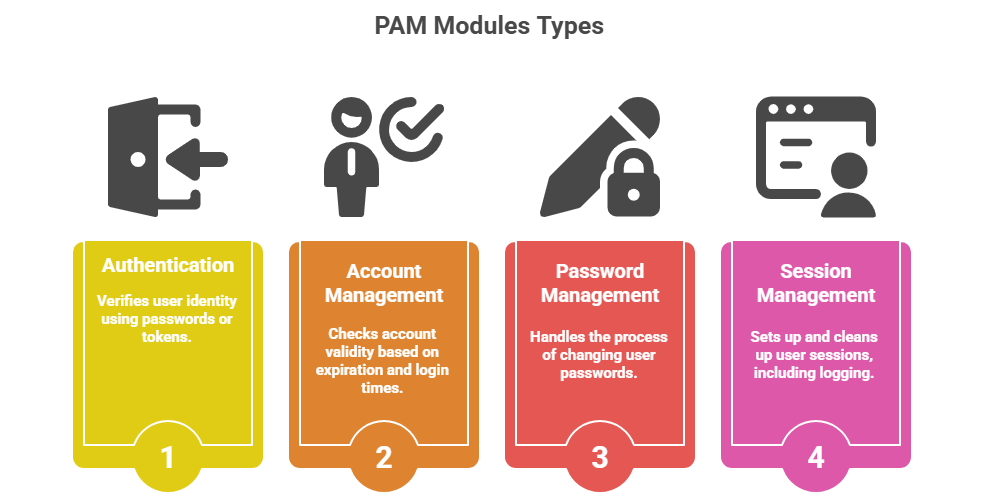
PAM enforces access control through a layered, rule-based architecture. The key concepts listed here explain how configuration files, control flags, and module types influence authentication outcomes.
PAM Configuration Files
1. Located primarily in /etc/pam.d/, each service has a corresponding configuration file (e.g., sshd, login).
2. Global configuration can also be found in /etc/pam.conf.
3. Configurations define stacked modules and control flags ('required', 'requisite', 'sufficient', 'optional').
Control Flags Explained
required: Module must succeed for overall success; failure logged but all modules run.
requisite: Module must succeed or processing stops immediately with failure.
sufficient: Success here can grant access immediately if no prior failures.
optional: Module success or failure does not affect overall result unless no other required modules.
Deployment Best Practices for Enhanced Authentication
Strong authentication is essential for protecting systems against unauthorized access. The following best practices highlight proven techniques for enforcing robust login policies and accountability.
1. Enforce Strong Authentication Policies
Require complex passwords using modules like pam_cracklib or pam_pwquality.
Implement multifactor authentication by stacking modules (e.g., password + OTP).
Use LDAP, Kerberos, or other centralized authentication backends with respective PAM modules.
2. Configure Account and Session Controls
Lock accounts after failed attempts with pam_tally2 or pam_faillock.
Set login time restrictions using pam_time.
Use session modules to enforce resource limits or audit logins.
3. Modular and Granular Configuration
Tailor PAM stacks per service in /etc/pam.d for specific security requirements.
Use include directives to reuse common configuration snippets.
Test configurations to ensure expected behavior without locking out legitimate users.
4. Logging and Auditing
Enable detailed logging in PAM-aware services to track authentication events.
Use audit frameworks to monitor PAM module activity and respond to suspicious behavior.
Example: SSHD PAM Configuration Snippet
auth required pam_securid.so

auth required pam_unix.so nullok try_first_pass

account required pam_nologin.so

password required pam_openssl.so

session required pam_limits.so
Class Sessions
Sales Campaign

We have a sales campaign on our promoted courses and products. You can purchase 1 products at a discounted price up to 15% discount.