Object-oriented programming and modules are key concepts for building structured and maintainable web applications.
Object-oriented programming organizes code into reusable components using classes and objects, making complex applications easier to design and extend.
Modules help split large applications into smaller, manageable files, improving readability, collaboration, and long-term maintenance in web development projects.
Object-Oriented Programming Fundamentals
OOP treats code as objects—self-contained units modeling real-world entities like buttons or users. It promotes reusability and structure, contrasting procedural code's linear flow. Let's explore core pillars with web app examples.
Encapsulation: Bundling Data and Behavior
Encapsulation hides internal details, exposing only necessary interfaces—like a car's dashboard showing speed without revealing the engine.
1. Why it matters in web apps: Protects data (e.g., user passwords) from accidental tampering.
2. Bundle: properties (data) and methods (functions) into objects.
Example: A User object for a login form.
class User {

  constructor(name, email) {

    this._name = name;  // Private-like with underscore convention

    this._email = email;

  }


  getName() {

    return this._name;

  }


  updateEmail(newEmail) {

    this._email = newEmail;  // Controlled access

  }

}


const user = new User('Alice', 'alice@example.com');

console.log(user.getName());  // Output: Alice
This prevents direct user._name = 'Hacker' changes
Inheritance: Reusing Code Hierarchies
Inheritance lets child classes inherit from parents, extending functionality—like a PremiumUser inheriting from User.
1. Define a base class.
2. Extend it with extends keyword (ES6+ standard).
3. Call parent constructor with super().
Practical Web Example
class PremiumUser extends User {

  constructor(name, email, subscription) {

    super(name, email);

    this.subscription = subscription;

  }


  getDiscount() {

    return this.subscription === 'gold' ? 20 : 10;

  }

}
Now PremiumUser reuses User's methods, saving code in multi-tier apps
Polymorphism: Flexible Method Overriding
Polymorphism allows objects to be treated interchangeably via shared interfaces, overriding methods differently.
1. Button Example: ClickButton and HoverButton both have handleEvent(), but behave uniquely.

Code Snippet
class Button {

  handleEvent() {

    console.log('Button clicked');

  }

}


class HoverButton extends Button {

  handleEvent() {

    console.log('Tooltip shown');  // Polymorphic override

  }

}
JavaScript ES6+ Classes in Depth
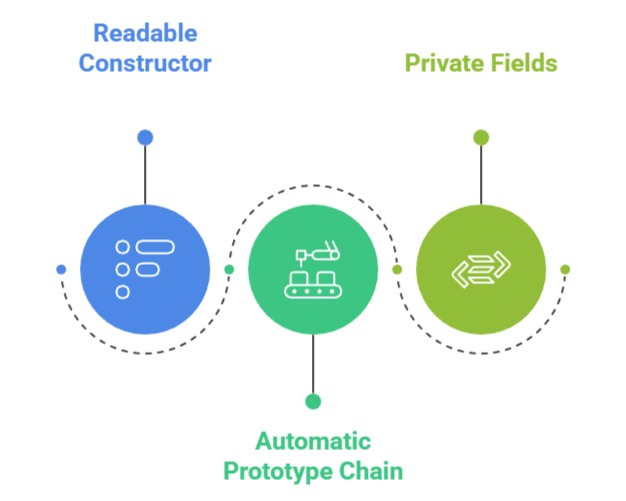
Modern JavaScript's class syntax (ES6, 2015) standardizes OOP, compiling to efficient prototypes under the hood.
Classes make inheritance intuitive, supported by all browsers via polyfills.
Class Syntax and Instantiation
Forget function constructors—classes streamline object creation.
Key Advantages
Full web app component
class TodoItem {

  #id;  // True private field


  constructor(text) {

    this.#id = Math.random();

    this.text = text;

    this.completed = false;

  }


  toggle() {

    this.completed = !this.completed;

  }


  render() {

    return `

      <li ${this.completed ? 'class="done"' : ''}>

        ${this.text}

      </li>`;

  }

}


// Usage in DOM

const todo = new TodoItem('Learn OOP');

document.body.innerHTML += todo.render();
This powers dynamic todo lists
Static Methods and Properties
Static members belong to the class, not instances—ideal for utilities.
1. Access via ClassName.method().
2. Perfect for factories or validators.
Example
| Type | Example Usage | Benefit |
|---|---|---|
| Static Method | TodoItem.createFromJSON(data) | Bulk creation without instances |
| Static Property | TodoItem.COUNTER = 0 | Shared counters |
class TodoItem {

  static COUNTER = 0;


  static createFromJSON(data) {

    const item = new TodoItem(data.text);

    item.completed = data.completed;

    return item;

  }

}
Modules for Scalable Web Apps
Modules split code into files, enabling imports/exports—crucial for large apps avoiding "spaghetti code."
ES6 modules are native (no bundlers needed for modern setups), tree-shakable for performance.
ES6 Import/Export Basics
Replace global variables with controlled sharing.
Export Patterns
1. Named: export const func = () => {};
2. Default: export default class MyClass {};
Web App File Structure
src/

  ├── user.js      // Exports User class

  ├── ui.js        // Imports User, exports components

  └── main.js      // Entry point
ui.js Example
import { User } from './user.js';


export class UserDashboard {

  constructor(user) {

    this.user = user;

  }


  render() {

    return `<div>Welcome, ${this.user.getName()}!</div>`;

  }

}
Dynamic Imports and Code Splitting
For performance, load modules lazily—key for PWAs.
1. Use import() returns Promise.
2. Bundle tools like Vite/Webpack optimize automatically.
// Load heavy chart module only when needed

button.addEventListener('click', async () => {

  const { ChartModule } = await import('./charts.js');

  new ChartModule().render(data);

});
Integrating OOP and Modules in Web Projects
Combine for production apps: Classes define logic, modules organize files.
Mini-Project Workflow
1. Create Product.js class.
2. Export from module.
3. Import into shop.js for e-commerce cart.
This mirrors frameworks like React/Vue patterns.
