Version control is one of the most fundamental concepts in software development, and it forms the backbone of modern DevOps practices.
It is a system that tracks every change made to files over time, allowing individuals and teams to collaborate efficiently, recover from mistakes, and maintain a complete history of their work.
Whether you are a solo developer or part of a large engineering team, version control is not optional, it is essential.
What is Version Control?
Version control, also known as source control or revision control, is a system that records changes to files over time so that specific versions can be recalled later.
In software development, these files are typically source code, but version control can be applied to any type of file, including documentation, configuration files, and infrastructure code.
At its simplest, a version control system answers four critical questions:
1. What changed in the code?
2. Who made the change?
3. When was the change made?
4. Why was the change made? (through commit messages)
These answers are invaluable, both for day-to-day development and for investigating issues that arise in production.
Why is Version Control Important?
Version control serves two equally important purposes — it acts as a safety net that protects work from being lost or broken, and it acts as a collaboration platform that allows multiple people to work on the same codebase without conflict.
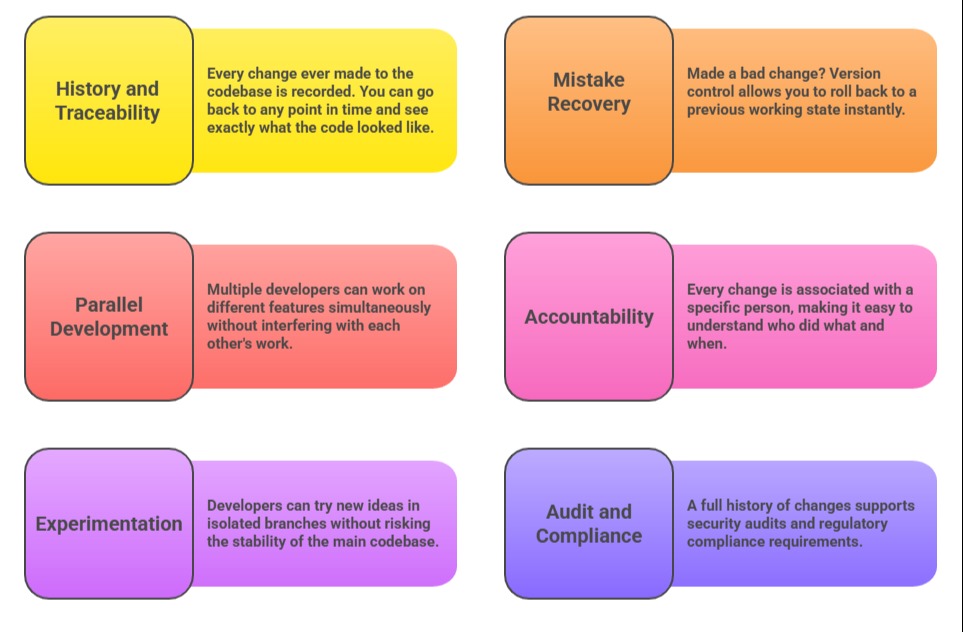
Without version control, software development would be like writing a book with no ability to save drafts, track edits, or undo mistakes.
Types of Version Control Systems
Over the years, version control systems have evolved significantly. There are three main types:
1. Local Version Control Systems
The earliest and simplest form of version control. Changes are tracked locally on a single developer's machine — typically by copying files into dated folders or using a simple local database.
Advantage: Simple and easy to set up.
Disadvantage: No support for collaboration; if the local machine fails, everything is lost.
2. Centralized Version Control Systems (CVCS)
In this model, all versioned files are stored on a single central server. Developers check out files from that server, make changes, and check them back in.
Examples: SVN (Subversion), CVS (Concurrent Versions System)
Advantage: All team members can see what others are working on; easier to manage access.
Disadvantage: The central server is a single point of failure — if it goes down, nobody can commit or access history.
3. Distributed Version Control Systems (DVCS)
This is the modern approach and the one used by the majority of teams today. In a distributed system, every developer has a complete copy of the entire repository, including its full history on their local machine.
Examples: Git, Mercurial
Advantage: Work can continue even without internet access; no single point of failure; faster operations.
Disadvantage: Slightly more complex to learn initially.
Core Concepts of Version Control
Regardless of which version control system is used, certain concepts are universal. Understanding these concepts is essential before working with any VCS tool.
Repository (Repo)
A repository is the central storage location where all the files and their complete history are kept. Think of it as the project's master folder, but one that remembers every version of every file that has ever existed.
1. A repository can be local (on your machine) or remote (hosted on a server like GitHub or GitLab).
2. Every project typically has one repository.
Commit
A commit is the act of saving a snapshot of your changes to the repository. Every commit captures:
1. The exact changes made to files.
2. A timestamp of when the commit was made.
3. The identity of the person who made it.
4. A commit message describing what was changed and why.
Commits are the building blocks of version history, each one represents a meaningful unit of work.
Branch
A branch is an independent line of development within a repository. Branching allows developers to:
1. Work on a new feature without affecting the main codebase.
2. Fix a bug in isolation.
3. Experiment with new ideas safely.
The main branch (often called main or master) typically represents the stable, production-ready version of the code.
Merge
Merging is the process of combining changes from one branch into another. Once a feature is complete and tested on its own branch, it is merged back into the main branch so the rest of the team can benefit from those changes.
Conflict
A conflict occurs when two developers make different changes to the same part of a file and the version control system cannot automatically decide which change to keep.
Conflicts must be resolved manually by the developer — reviewing both versions and deciding what the final result should look like.
Clone
Cloning means creating a complete copy of a remote repository on your local machine. This gives you the full project history and allows you to work offline.
Pull and Push
Pull — Fetching the latest changes from the remote repository and updating your local copy.
Push — Sending your locally committed changes to the remote repository so others can access them.
The Basic Version Control Workflow
A typical version control workflow for a developer looks like this:
1. Clone the repository → Get a local copy of the project
2. Create a branch → Work in isolation on a feature or fix
3. Make changes → Edit files and write code
4. Stage changes → Select which changes to include in the next commit
5. Commit → Save a snapshot with a descriptive message
6. Push → Send commits to the remote repository
7. Open a Pull Request → Request review and approval to merge into main
8. Merge → Integrate the approved changes into the main branch
This workflow ensures that changes are always tracked, reviewed, and integrated in a controlled and transparent manner.
Best Practices in Version Control
Having a version control system in place is only half the battle. Using it well requires following some key best practices:
1. Commit often and in small chunks — Small, focused commits are easier to understand, review, and roll back if needed.
2. meaningful commit messages — A good message explains what was changed and why, not just how.
3. Use branches for every feature or fix — Never work directly on the main branch for new development.
4. Review code before merging — Use pull requests and peer reviews to catch issues early.
5. Never commit sensitive information — Passwords, API keys, and credentials should never be stored in a repository.
6. Keep the main branch stable — Only merge code that has been tested and approved.
Version Control in the Context of DevOps
In DevOps, version control is not just a development tool — it is the starting point of the entire CI/CD pipeline. Every automated process in DevOps, from running tests to deploying infrastructure is triggered by an event in the version control system.
1. A code push triggers an automated build and test pipeline.
2. A merge to main can automatically trigger a deployment.
3. Infrastructure as Code files are stored and versioned just like application code.
4. Configuration files for CI/CD pipelines live in the repository alongside the code they build.
This tight integration between version control and automation is what makes DevOps fast, reliable, and traceable.
