Managing system configurations involves using automation tools to consistently define, deploy, and maintain the desired state of servers, applications, and environments.
With Ansible, this becomes declarative and scalable—you specify "what" the system should look like, not "how" to build it step-by-step.
Core Strategies in Ansible
Ansible excels at configuration management through targeted modules and structured playbooks. Focus on these approaches:
1. Package management: Install, update, or remove software idempotently.
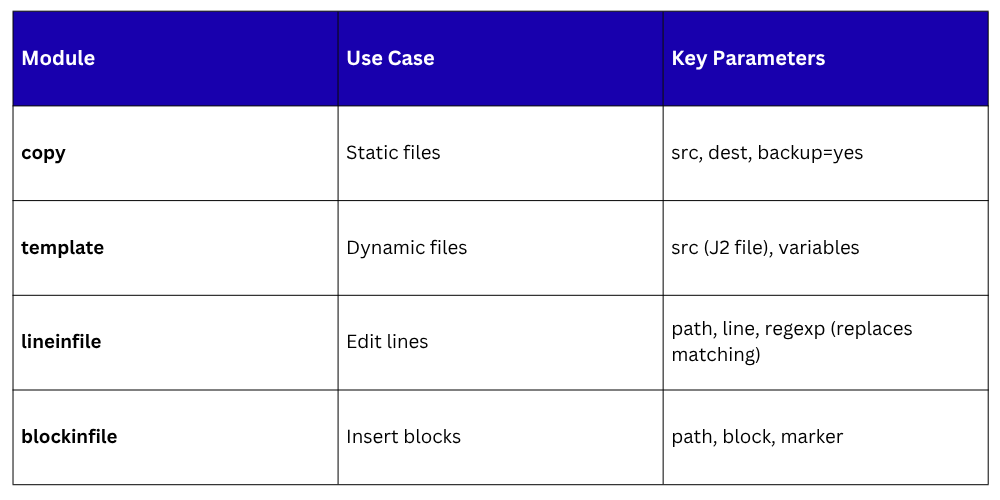
2. File and template handling: Distribute configs with variable substitution.
3. User and group control: Provision accounts securely.
4. Service oversight: Ensure apps run as intended.
These keep systems uniform, reducing "works on my machine" issues.
Handling Packages and Repositories
Keep software consistent across hosts. Use apt/yum modules for declarative installs.
Example playbook task:
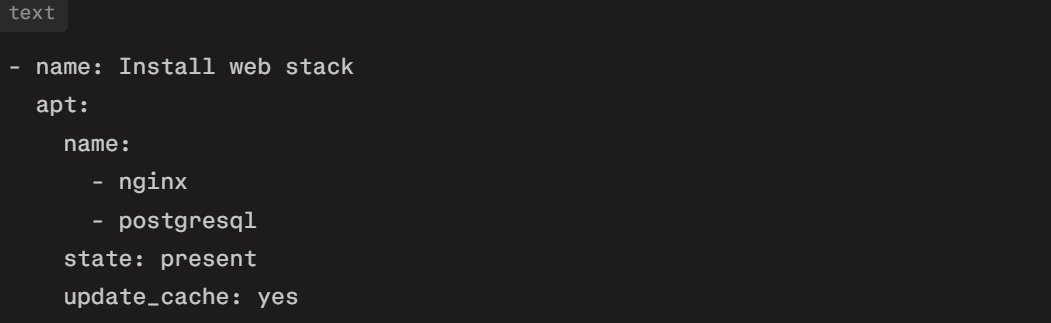
For repositories, add sources:
text
- name: Add Node.js repo
apt_repository:
repo: 'deb https://deb.nodesource.com/node_18.x {{ ansible_distribution_release }} main'
state: present
Run ansible-playbook configs.yml to apply fleet-wide.
Managing Files and Templates
Configs often vary by environment (dev/prod). Use template module with Jinja2 for dynamic files.
Create nginx.conf.j2:

Playbook:
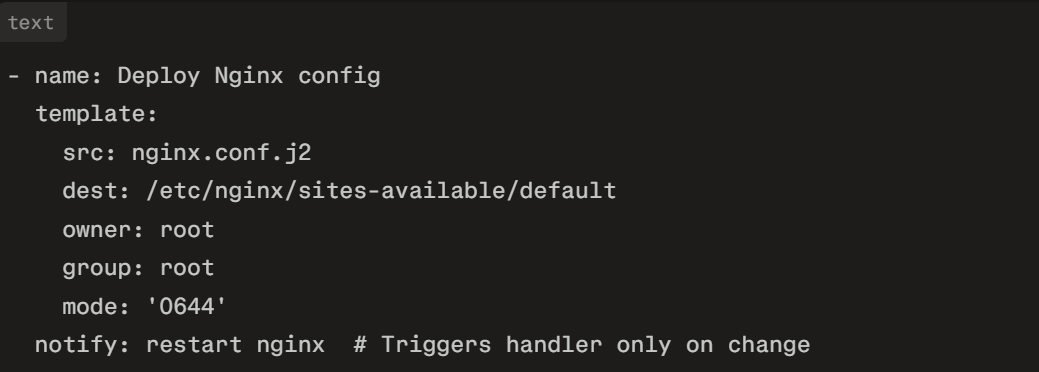
Variables in group_vars/webservers.yml: nginx_port: 80, server_name: example.com. This generates tailored configs idempotently.
User, Group, and Permissions Management
Secure access by automating accounts.
text
- name: Create deploy user
user:
name: deploy
groups: sudo,www-data
shell: /bin/bash
create_home: yes
state: present
- name: Set up SSH key
authorized_key:
user: deploy
key: "{{ lookup('file', 'pub_keys/deploy.pub') }}"
state: present
group module handles teams: group: name=devops state=present. Use file for ownership: file: path=/var/www owner=deploy group=www-data.
Service and Process Control
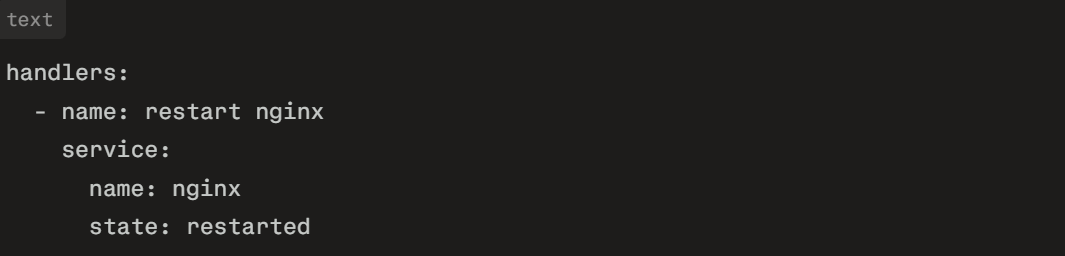
Ensure services persist and recover.
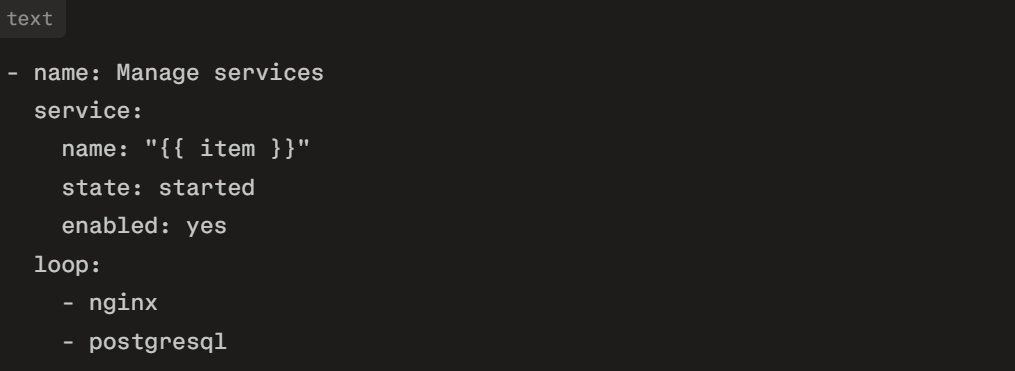
Handlers for restarts:
Advanced Patterns: Roles and Vault
For modularity, use roles:
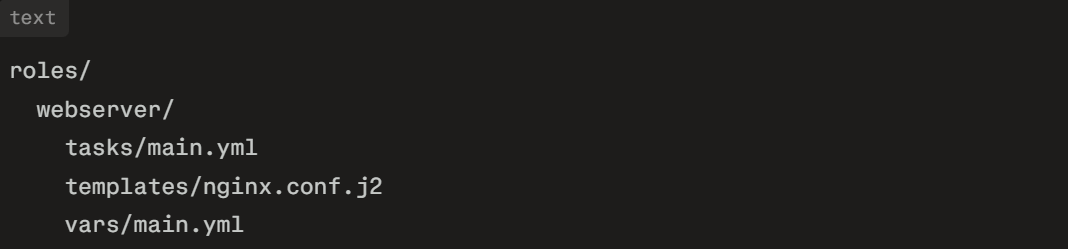
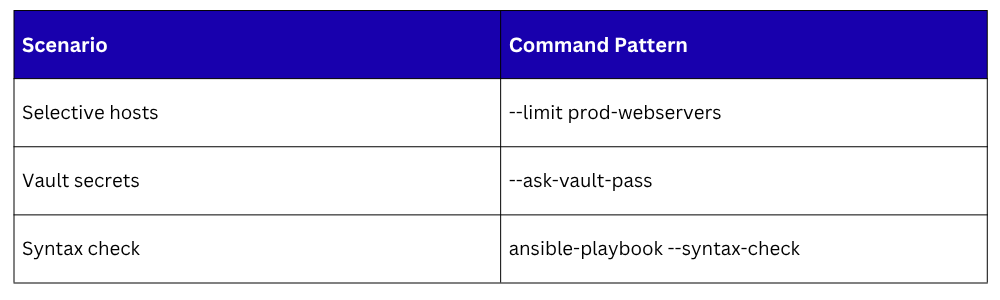
Encrypt secrets with Ansible Vault: ansible-vault create group_vars/secrets.yml, then ansible-playbook --ask-vault-pass configs.yml.
Integration and Best Practices
Embed in CI/CD: GitHub Actions step runs playbooks on merges. Tips:
1. Version configs in Git.
2. Use --limit for targeted runs: ansible-playbook --limit db1 configs.yml.
3. Facts gathering: Customize with set_fact for environment-specific logic.
4. Dry-run: --check --diff previews changes.
This approach ensures drift-free systems, boosting reliability.
