Every DevOps team has one shared goal that is get good software into the hands of users quickly and reliably. CI/CD is the practice that makes this possible. It is the backbone of modern software delivery.
What is CI/CD?
CI/CD stands for Continuous Integration and Continuous Delivery (or Continuous Deployment). It is a set of practices and automated processes that allow teams to deliver code changes frequently, safely, and with minimal manual effort.
Before CI/CD, software releases were large, infrequent, and risky events. Teams would spend weeks building features in isolation, then spend days trying to merge everything together — often with painful conflicts and broken builds. Testing was manual and slow. Deployments were stressful.
CI/CD replaces that chaos with a smooth, automated pipeline.
Understanding These Three Terms
Continuous Integration (CI)
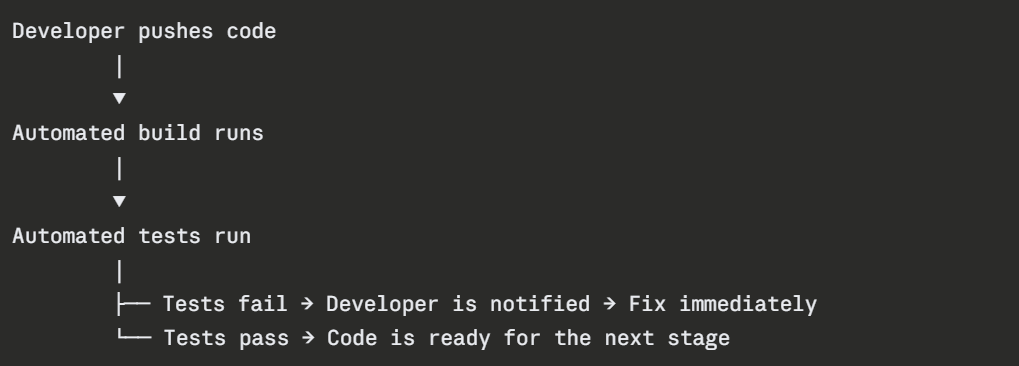
Developers merge their code changes into a shared repository frequently — at least once a day. Every merge automatically triggers a build and runs a set of automated tests. If something breaks, the team knows immediately.
The goal: Catch integration problems early, when they are small and cheap to fix.
Continuous Delivery (CD)
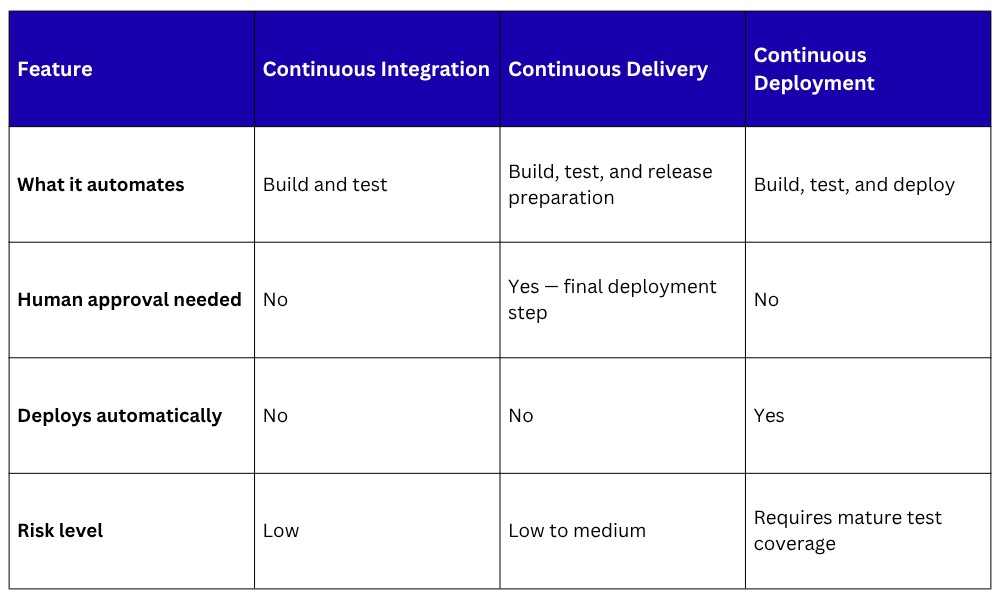
Continuous Delivery extends CI. After the code passes all automated tests, it is automatically prepared and packaged so it can be deployed to production at any time — with a single manual approval step.
The goal: Keep the codebase always in a deployable state. Deployment becomes a business decision, not a technical challenge.
Continuous Deployment (CD)
Continuous Deployment goes one step further than Continuous Delivery. Every change that passes all automated tests is deployed to production automatically — no human approval needed.
The goal: Remove all manual gates. If the tests pass, it ships.
Continuous Integration vs. Continuous Delivery vs. Continuous Deployment
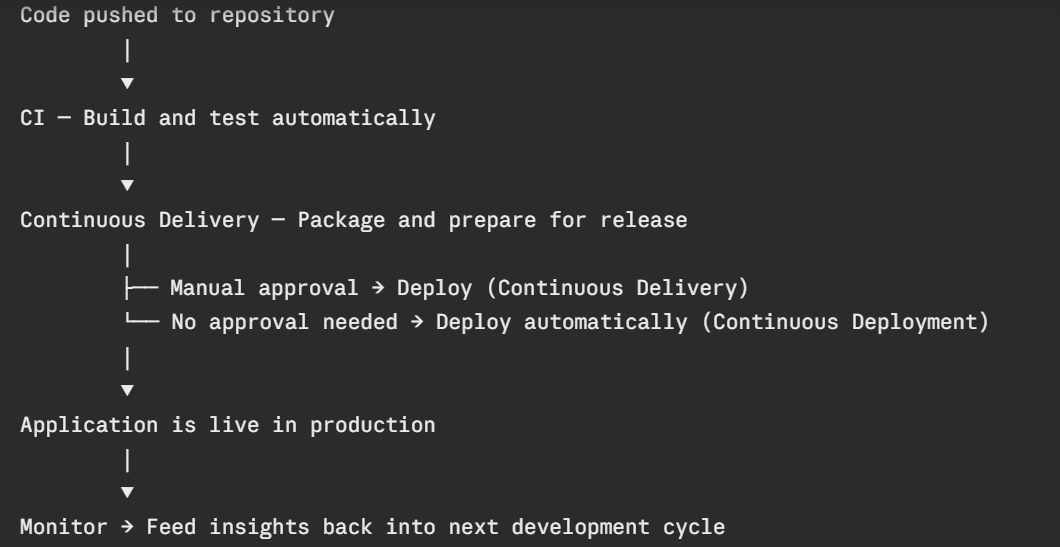
 How They Connect
These three practices are not separate choices. They form a single, continuous pipeline:
Why CI/CD Matters
Without CI/CD, teams face slow feedback, risky deployments, and constant integration pain. With CI/CD:
1. Bugs are caught within minutes of being introduced — not weeks later.
2. Releases go from stressful events to routine, boring processes — which is exactly what you want.
3. Developers spend less time fixing integration issues and more time building features.
4. The team can deploy multiple times per day with confidence.
