CloudFormation uses YAML. Terraform uses HCL. Both are good tools, but they are configuration languages, not real programming languages. AWS CDK takes a different approach entirely.
It lets you define your infrastructure using a programming language you already know — Python, TypeScript, Java, or others — and then automatically generates the CloudFormation template for you behind the scenes.
For developers who are more comfortable writing code than configuration files, CDK feels natural and powerful.
How CDK Works
CDK sits on top of CloudFormation. You write infrastructure code in your preferred language, and CDK compiles it into a CloudFormation template and deploys it as a CloudFormation stack.
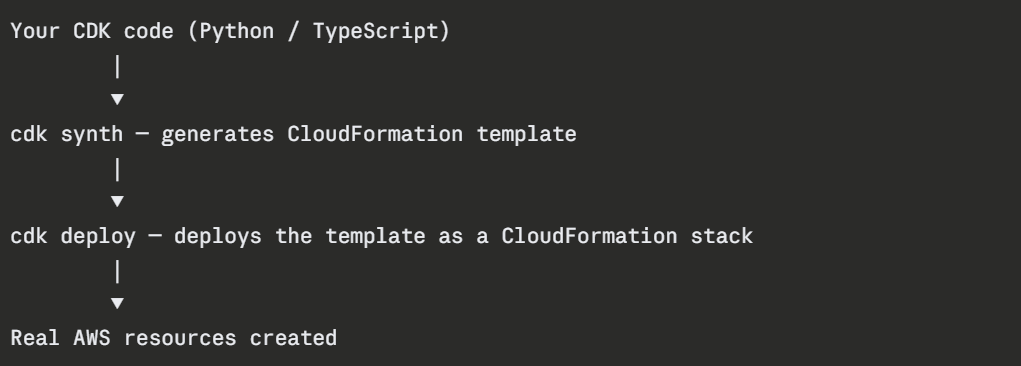
You get the full power of a programming language — loops, conditionals, functions, classes, imports — applied to infrastructure definition. This is something YAML and HCL cannot do naturally.
Key CDK Concepts
1. App: The top-level container for your entire CDK project. Every CDK project starts with an App.
2. Stack: A CDK Stack maps directly to a CloudFormation stack. It is where you define your resources. A single CDK App can contain multiple stacks — one for networking, one for compute, one for databases.
3. Constructs: Constructs are the building blocks of CDK. Every resource you define is a construct. CDK has three levels of constructs:
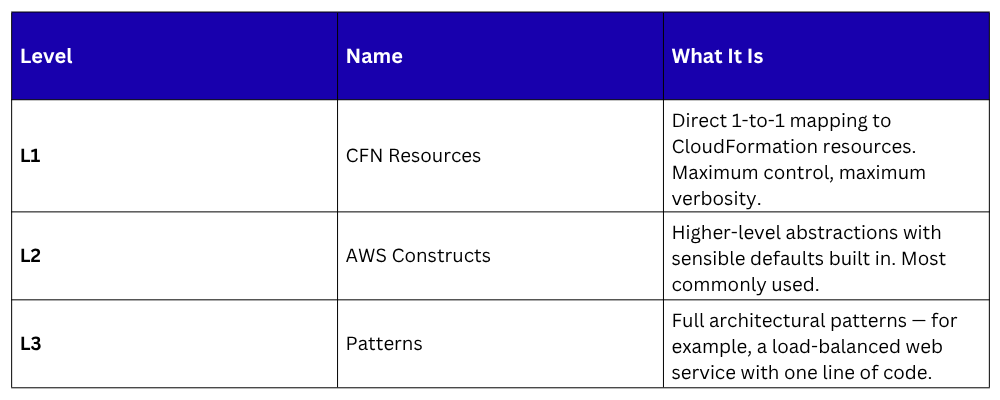
L2 constructs are what you will use most. They handle the boilerplate for you while still letting you customise what you need.
A Simple Example
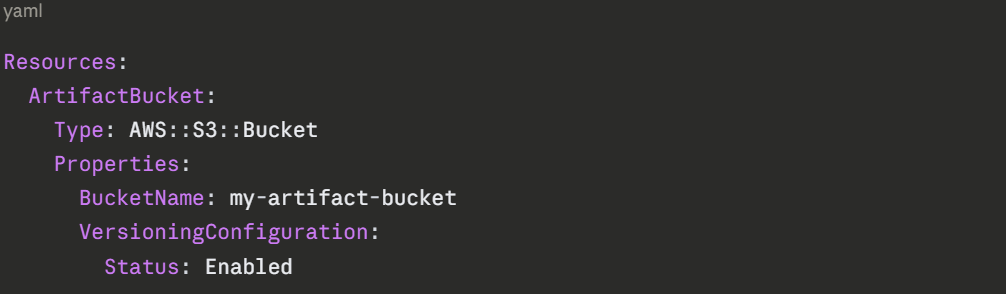
Here is what creating an S3 bucket looks like in CDK using Python — compared to doing the same thing in CloudFormation YAML:
CloudFormation YAML:
CDK in Python:
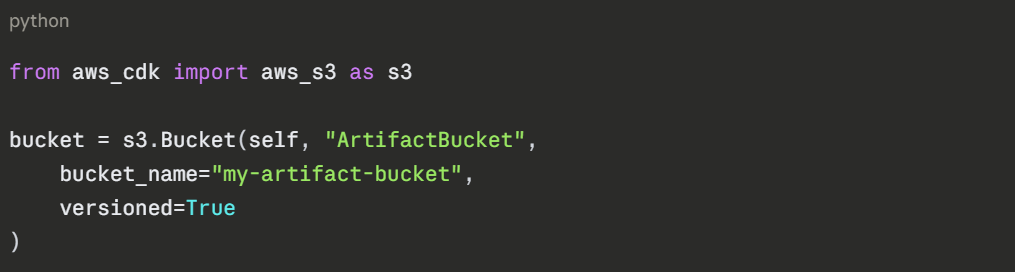
Both produce the same result. But with CDK, you can now use Python logic around it — create ten buckets with a loop, apply conditions, share the bucket definition across multiple stacks as a reusable function.
CDK Toolkit — The Key Commands

cdk diff is particularly useful — it is CDK's equivalent of a change set preview. Always run it before deploying to production.
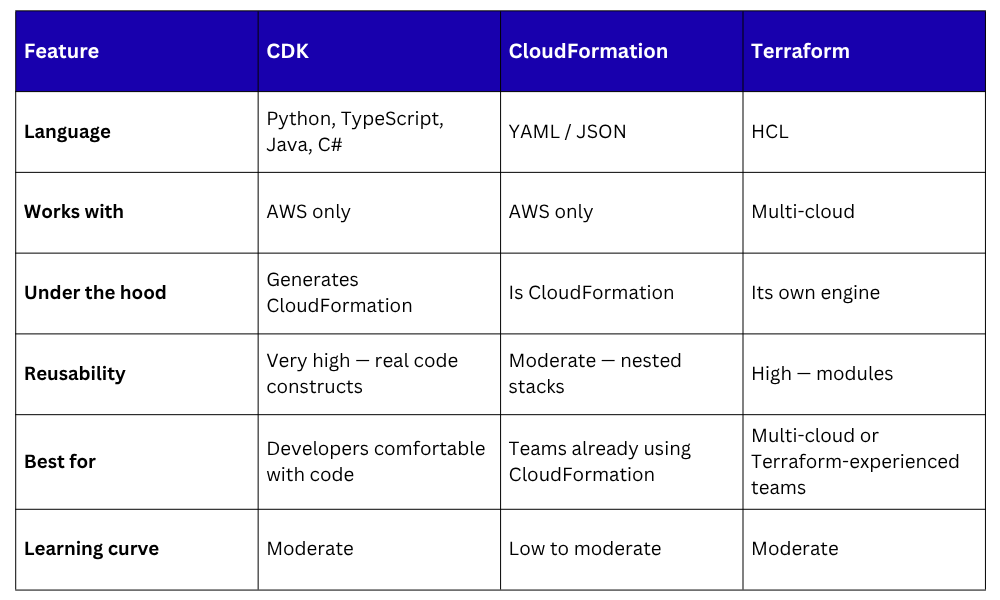
CDK vs. CloudFormation vs. Terraform
 When to Use CDK
CDK is a strong choice when:
1. Your team is developer-heavy and more comfortable with Python or TypeScript than YAML.
2. You need to build reusable infrastructure components that behave like libraries.
3. Your infrastructure has complex logic — dynamic resource creation, conditional configurations, looping over environments.
4. You want full IDE support — autocomplete, type checking, inline documentation — while writing infrastructure.
CDK is not the best choice when your team is already deeply invested in Terraform or when you need multi-cloud infrastructure management.
